
iOS + Web · Shift scheduling
Daypart
Scheduling without the corporate HR bloat.
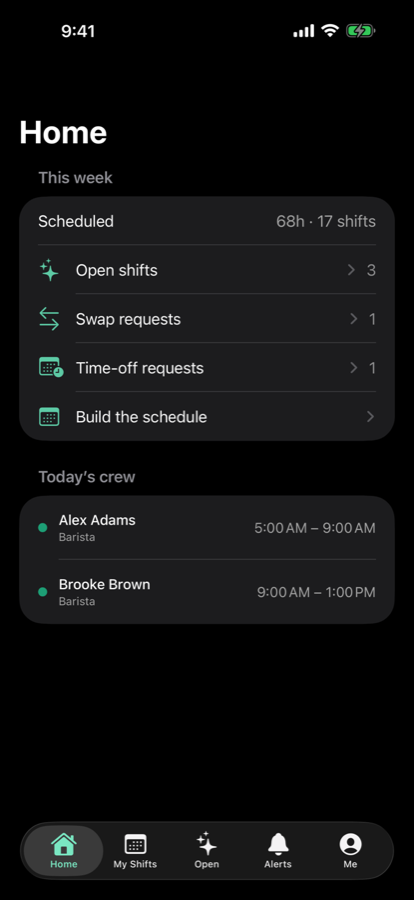
Daypart answers the four questions a small team actually asks — who's working, who's available, what's open, what changed — and leaves payroll, tax filing, and onboarding to someone else. Built for owner-run crews of 3 to 75: bars, cafés, salons, retail, food trucks, studios.
What it does
The schedule, built, filled,
and out to the team.
-
01 · Build
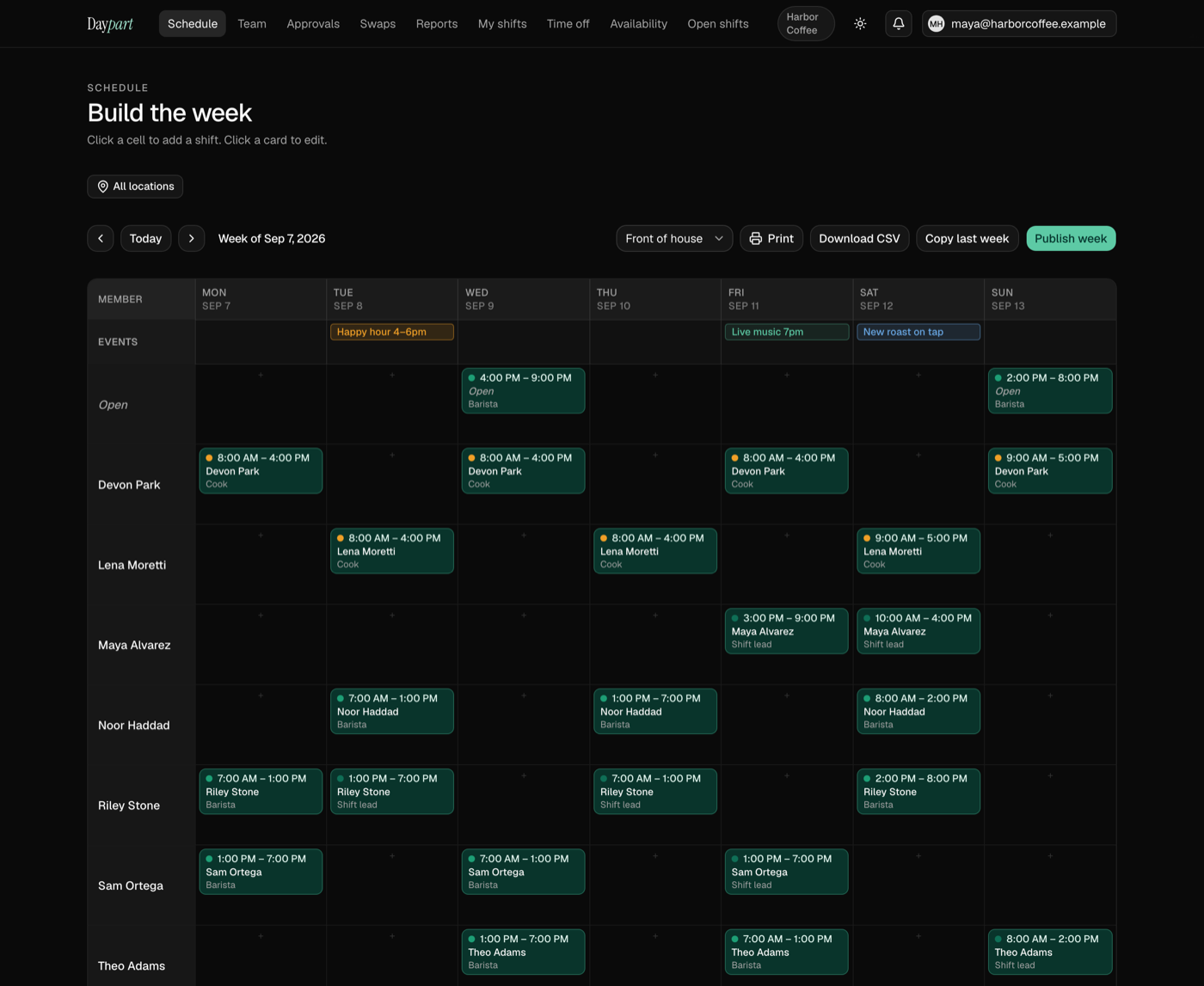
Build the week
A drag-and-drop week grid with copy-last-week, color-coded roles, day-level events, and one tap to publish.
-
02 · Availability
Availability first
Staff set when they can work. Conflicts get flagged before you publish, not after someone no-shows.
-
03 · Requests
One approval queue
Shift swaps, two-way trades, and time-off requests land in a single queue with an audit trail of who approved what.
-
04 · Open shifts
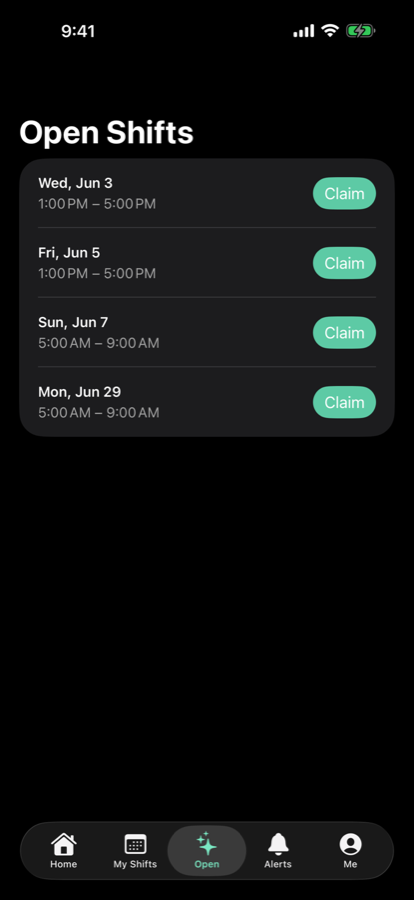
Post it, let them claim it
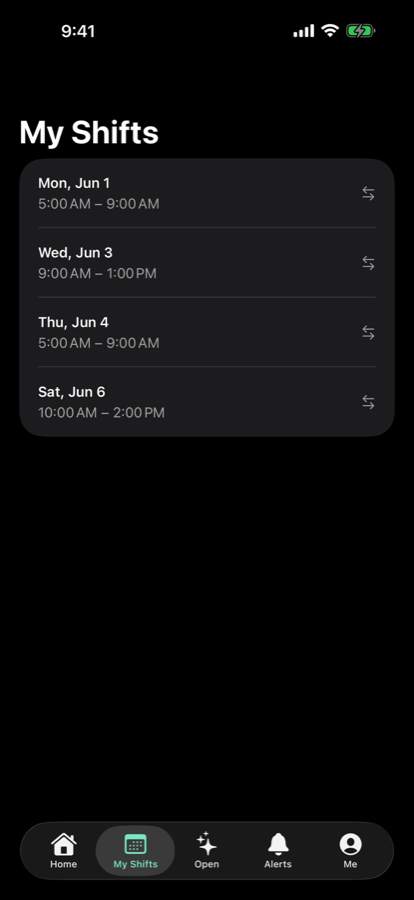
Open shifts go out to qualified teammates, who claim them from their phone. No group text.
-
05 · Hours
Hours and exports
Overtime alerts, weekly email summaries, and CSV exports with Gusto and QuickBooks presets. Multi-location overview on the Team plan.
-
06 · iPhone + iPad
Native where it matters
Apple Calendar sync, the next shift on the Lock Screen, Siri shortcuts, smart notifications — and a web dashboard for owners and admins.
The web side
A dashboard for the person doing the schedule.
Plans
Thirty days of everything,
then one price.
If the trial ends and you don't upgrade, the account goes read-only. Nothing is deleted.